 coderbunch
Windows · Microsoft Store
Barcode and thermal labels, designed on the desktop.
Label Studio is a standalone Windows application for designing and printing barcodes, product tags and thermal shipping labels with millimetre accuracy.
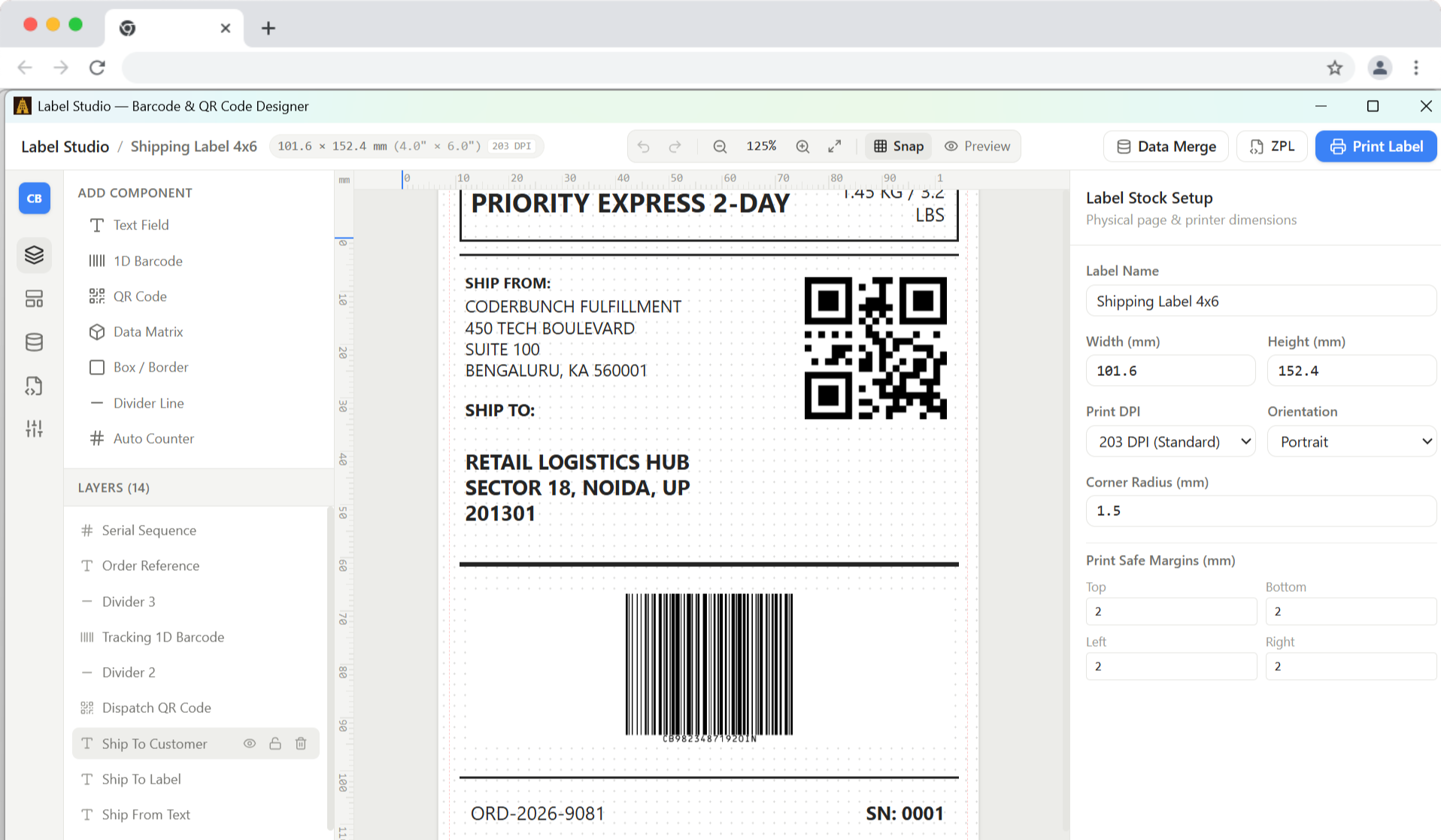
Millimetre precision
Set custom label dimensions in millimetres or inches. Drag and drop text, barcodes, QR codes, geometric shapes and company logos with live alignment guides and snap-to-grid.
Standard symbologies
Generate industry-standard Code 128, GS1-128, EAN-13, EAN-8, UPC-A, Code 39, QR Code and Data Matrix. Includes built-in checksum and symbology validation.
Native thermal speed
Generate clean Zebra Programming Language (ZPL II) on the fly. Stream raw commands directly to thermal printers over the local network or USB.
Serial prints in a batch
Import CSV spreadsheets and bind columns to text fields or barcodes with {{column}} placeholders. Print hundreds of unique inventory tags or address labels with one click.
Any printer, any size
Direct industrial thermal protocols (Zebra, TSC) and standard Windows print spoolers (Rollo, MUNBYN, Brother, Dymo, inkjet and laser label sheets).
Your data stays local
Label templates, product catalogues and customer data never leave your computer. The software runs offline on your workstation.
Warehouses, factories and retail
No cloud bloat. No per-printer fees.
Traditional thermal labelling software often forces businesses into complex licences, recurring per-printer subscriptions, or sluggish cloud-dependent interfaces.
Label Studio is a fast desktop application with a lightweight native Windows runtime. Install once, work reliably, and print without interruptions.
Download on Microsoft StoreDesigned for real workflows
Whether you are printing 4×6 inch shipping labels, miniature jewellery tags or compliance barcode labels for pallets, Label Studio gives you control over rotation, element hierarchy, margins and DPI scaling (203 DPI, 300 DPI, 600 DPI).
Export templates as portable .label files to share designs across your team or archive them alongside manufacturing records.
Read the practical guide: Test barcode labels on the printer used at the counter